

Key Takeaways
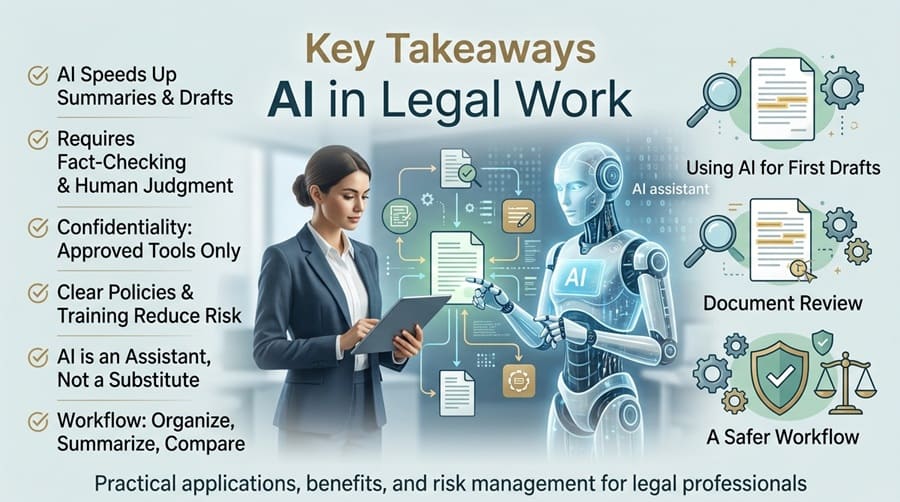
- AI can speed up document summaries, comparisons, checklists, and first drafts.
- Every legal output still requires fact-checking, source review, and human judgment.
- Confidential information should only be used in approved tools with appropriate safeguards.
- Clear internal policies, training, and approval steps reduce avoidable risk.
- AI works best as an assistant, not as a substitute for qualified legal advice.
AI is becoming a practical part of legal work for law firms, in-house teams, small businesses, and independent professionals. A legal AI copilot can help users organize questions, summarize lengthy materials, compare documents, and prepare work for a more informed human review.
That efficiency does not make AI-generated content final legal advice. Legal matters depend on the facts, the applicable jurisdiction, current authority, contractual context, and professional judgment. The safest approach is to use AI for preparation and issue spotting while keeping people responsible for the conclusions and decisions.
Why AI Matters In Legal Work
Legal work often includes repetitive tasks that take time but do not always require original legal analysis. Sorting correspondence, extracting deadlines, comparing contract language, and turning notes into a checklist are examples. AI can reduce the first-pass workload, allowing legal professionals to focus more on strategy, negotiations, client communication, and risk assessment.
For example, a small business owner may use AI to list questions raised by a vendor agreement before speaking with counsel. The owner should not ask the tool to decide whether to sign. Instead, the tool can help identify provisions involving payment terms, renewal dates, indemnity, confidentiality, and termination.
Where AI Can Help Most
AI is generally most useful when the task involves organizing, explaining, or comparing information. Common uses include:
- Summarizing long agreements, policies, or correspondence.
- Sorting details by subject, party, deadline, or document type.
- Creating checklists for intake, compliance, or contract review.
- Comparing two versions of an agreement and identifying changes.
- Explaining unfamiliar legal terms in plain language.
- Preparing a first draft for a qualified reviewer to revise.
- Flagging missing names, exhibits, definitions, or dates.
These uses support preparation and review. They do not replace representation, legal advice, or final approval by someone accountable for the work.
Using AI For Legal Research
Good Uses
AI can turn a broad question into narrower research issues, suggest search terms, summarize materials that have already been verified, and create jurisdiction-specific research checklists. It may also help a legal team identify factual gaps before searching official statutes, agency guidance, court opinions, and trusted legal databases.
What AI Should Not Do Alone
AI should not independently determine whether a case remains good law, whether a statute governs a particular dispute, or whether a filing accurately states controlling authority. It can produce plausible but false citations, quotations, and factual claims. Court submissions require especially careful review because the filing party remains responsible for their contents.
Lawyers and legal teams should treat accuracy, confidentiality, communication, and supervision as continuing duties when using AI, consistent with the ethical concerns discussed in the ABA’s guidance on generative AI tools.
Using AI For First Drafts
AI can provide a useful starting point for routine writing, but a first draft is not ready to sign, send, or file simply because it sounds polished. Helpful drafting tasks include plain-language contract explanations, internal emails, policy outlines, meeting questions, onboarding checklists, and summaries of business requirements.
Drafting Review Checklist
- Verify every name, date, amount, address, and deadline.
- Confirm the correct state, country, agency, or court context.
- Compare the draft against approved templates and deal-specific instructions.
- Remove vague statements, unsupported conclusions, and invented authority.
- Obtain legal review for important, regulated, disputed, or high-risk documents.
Using AI For Document Review
For contracts and other business documents, AI can provide a fast preliminary review. It may locate renewal dates, termination rights, payment obligations, inconsistently defined terms, missing exhibits, and clauses that differ from a preferred template. A concise summary can also help nonlegal stakeholders understand what needs attention.
A flagged clause is not automatically a problem. A limitation of liability may be reasonable in one transaction and unacceptable in another. Human reviewers must assess the commercial relationship, negotiating leverage, applicable law, and the organization’s actual risk tolerance.
Common Risks To Watch
Incorrect Or Outdated Information
AI can state false information with confidence. Treat fluent writing as a presentation feature, not proof. Verify legal citations, factual assertions, calculations, and procedural requirements against reliable primary materials.
Confidentiality And Security Problems
Do not upload client details, trade secrets, health information, financial data, or sensitive contracts without confirming how the provider handles prompts and files. Review retention practices, training terms, encryption, access controls, and deletion options. Redact unnecessary identifiers whenever possible.
Jurisdiction And Bias Errors
A general answer may overlook a controlling state rule, a local ordinance, an agency requirement, or a court procedure. Teams should also consider whether an output reflects hidden assumptions or biased framing. The risk-management practices outlined in the AI Risk Management Framework can help organizations identify, document, and monitor these types of risks.
A Safer Human-AI Workflow
- Define the task. Identify whether the goal is summarization, research support, drafting, comparison, or issue spotting.
- Minimize sensitive data. Redact private and confidential details that are not essential.
- Give clear instructions. Specify the audience, jurisdiction, document type, and requested format.
- Request assumptions and gaps. Ask the tool to identify what it does not know.
- Verify the output. Check sources, facts, dates, definitions, and omissions.
- Escalate high-risk matters. Send urgent, complex, regulated, or disputed issues to qualified counsel.
- Record approval. Keep the reviewed final version and note material changes.
Questions To Ask Before Choosing A Tool
- Does the tool identify sources and limitations?
- Can it support the jurisdictions relevant to the team?
- What happens to prompts and uploaded documents?
- Are permissions, audit trails, and deletion controls available?
- Can the organization require human approval before important use?
- Does the vendor provide clear security and data-handling commitments?
How Small Teams Can Start
Begin with one low-risk, repeatable task, such as summarizing non-sensitive documents. Create a short,approved-use policy; test outputs against known materials; measure time saved and errors found; and train users to verify results. Expand only after the workflow consistently protects confidentiality and produces work that reviewers can trust.
AI can make legal work easier to organize and faster to prepare. Its strongest role is behind the scenes, where it helps people find information, create first drafts, and identify questions worth closer review. Human judgment remains the safeguard that turns speed into reliable legal work.